 IGNITE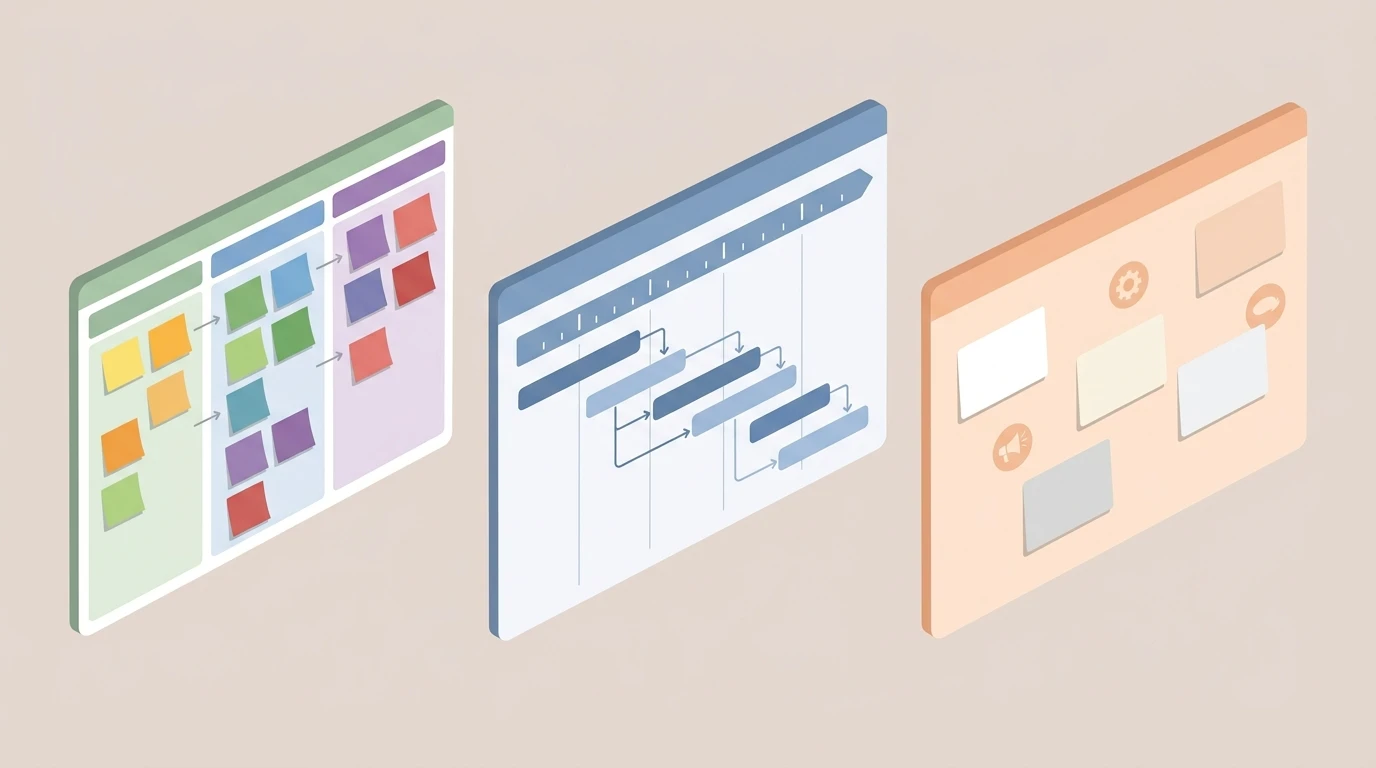
Most teams pick a project management tool the same way they pick a gym membership: excited in January, barely using it by March. They go with whatever has the best G2 rating, spend a week setting it up, and then watch half the team quietly drift back to WhatsApp threads and shared spreadsheets. Sound familiar?
The problem isn't the tool. It's that nobody asked the right question first. The right question isn't "which tool has the most features?" It's "which tool matches the way my team already thinks?"
Trello, Asana, and Basecamp are all solid. They're also built on completely different assumptions about how work should flow. Pick the wrong one and you're fighting the tool every day. Pick the right one and it disappears into the background, which is exactly what good software should do.
Here's how to tell them apart.
Trello: For Teams That Think in Boards
Trello is the simplest of the three, and that's not a knock. It's a Kanban board. Cards move across columns. You can see everything at a glance. That's basically it.
If your team naturally draws boxes and arrows on whiteboards, if your workflow is mostly linear (to do, in progress, done), and if you need to get moving fast without a two-day onboarding session, Trello is your tool. The learning curve is nearly flat. The free tier is generous. You can have a working board up in under an hour.
Where Trello breaks down is complexity. Once you have interdependent tasks, multiple teams, recurring workflows, or projects that span months, the board gets cluttered fast. Cards pile up. Context gets buried in comments. Teams that start with Trello often outgrow it within months, not because Trello is bad, but because it was designed for simplicity and simplicity has limits.
Pick Trello if: Your team is small, your workflows are visual and linear, and you need something running today without a training budget.
Skip Trello if: Your projects have dependencies, multiple stakeholders, or anything that requires tracking work across more than a few stages.
Asana: For Teams That Run on Process

Asana is a different beast. It supports tasks, subtasks, dependencies, timelines, multiple project views (list, board, calendar, Gantt-style), and built-in workflow automation with rules and triggers. It's designed for teams that don't just want to track work but want to build repeatable systems around it.
If your team has a project manager mindset, if you're running client deliverables with clear phases and handoffs, or if you've ever said "we need a process for this," Asana is probably your fit. The automation layer is genuinely useful: you can set rules that auto-assign tasks when a status changes, send reminders when deadlines are approaching, or move work through stages without anyone touching it manually.
The flip side is that Asana is over-engineered for small or informal teams. Its power becomes a liability when the team doesn't have the discipline (or the time) to maintain structured workflows. If people aren't updating task statuses consistently, the whole system falls apart. Asana rewards rigor. If your team doesn't have that, you'll spend more time managing the tool than managing the work.
Also worth noting: Asana charges per user, so costs scale with your headcount.
Pick Asana if: You manage complex, multi-step projects with dependencies, you have a team that will actually maintain the structure, and you want automation baked into your project workflow.
Skip Asana if: Your team is informal, moves fast, and won't keep task statuses updated. You'll pay for a system nobody uses.
Basecamp: For Teams That Are Done With Notification Hell
Basecamp is the contrarian choice, and I mean that as a compliment. It was built on a specific philosophy: async communication reduces stress, fewer notifications mean more focus, and simplicity beats feature bloat. It deliberately doesn't have time tracking or Gantt charts. That's a choice, not an oversight.
Basecamp combines message boards, to-do lists, schedules, and file storage in one calm interface. The whole point is that you don't need to be online at the same time as your teammates to get things done. Work gets posted, people respond when they can, and nothing is on fire all the time.
For distributed teams, remote-first companies, or any team exhausted by the constant ping of Slack threads and real-time collaboration pressure, Basecamp is a genuinely different experience. It also has flat pricing per company rather than per seat, which makes it predictably affordable as you grow.
The downside is that Basecamp's simplicity can feel limiting if you need granular task dependencies or detailed reporting. It's not built for that, and it doesn't pretend to be.
Pick Basecamp if: Your team is remote or distributed, you prioritize async communication, and you want one calm place for everything instead of five apps that sort of integrate.
Skip Basecamp if: Your workflow requires tight dependencies, real-time collaboration, or detailed project reporting. Basecamp will feel like you're missing half the toolkit.
The Honest Comparison
Here's a quick way to think about it:
- Trello is a whiteboard. Great for seeing work. Not great for running it.
- Asana is a process engine. Great for structured teams. Overkill for everyone else.
- Basecamp is a calm room. Great for async teams. Frustrating if you need granular control.
None of them is universally better. The question is which mental model matches your team's natural behavior, because the best tool is always the one people will actually use.
For most mid-size teams I see in Latin America, the honest answer is: any of these three is a massive step up from running projects on WhatsApp and spreadsheets. Start there. Pick the one that fits your communication style, not the one with the longest feature list.
The Part Nobody Talks About: These Tools Store Work, They Don't Run It
Here's the thing that took me a while to see clearly. Trello, Asana, and Basecamp are all containers. They hold your tasks. They display your work. They let you organize and comment and assign.
But they don't orchestrate delivery. They don't remind the right person at the right time. They don't escalate when something is stuck. They don't close loops automatically or trigger the next step when a milestone is hit. That still requires a human to go in, check the board, and manually push things forward.
For small teams with simple projects, that's fine. But once you're managing client deliverables at any real volume, the manual coordination overhead becomes the bottleneck. You're not behind because your team is slow. You're behind because nobody built the system that keeps work moving without someone babysitting it.
This is exactly the gap that Ignite's Project Machine is built to close. It's not a replacement for Trello or Asana. It's the layer on top that actually runs the workflow: automated follow-ups, escalations, status triggers, and delivery logic that doesn't require a human to manually check the board every morning.
If you're a mid-size team that has outgrown manual task-shuffling but hasn't found a tool that actually keeps projects moving on its own, that's the conversation worth having. You can learn more about how the system is built and whether it fits what you're trying to solve.
Pick Your Tool, Then Build the System
Start with the right tool for your team. Trello if you're visual and lightweight. Asana if you're process-driven and structured. Basecamp if you're async and done with notification overload.
But don't stop there. A tool that stores your work is not the same as a system that runs it. The teams that actually deliver consistently aren't the ones with the fanciest project management software. They're the ones who built the workflow logic underneath it.
That's the real upgrade. And it's more achievable than most teams think.
FAQ
Which tool is best for a small team just getting started?
Trello is the easiest entry point for small teams since the learning curve is nearly flat and you can have a working board running in under an hour. If your workflow is visual and linear, it will likely cover everything you need early on.
Why would a team choose Basecamp over Asana if Asana has more features?
Basecamp is built around async communication and a calmer, lower-notification work style, which is a deliberate philosophy rather than a limitation. Teams that are remote or distributed and exhausted by constant pings will often get more out of Basecamp than a feature-heavy tool nobody actually uses.
What happens when a team outgrows Trello?
Trello tends to break down once projects have interdependent tasks, multiple teams, or workflows that span many stages, because cards pile up and context gets buried. At that point most teams move toward a more structured tool like Asana.
Is Asana worth the cost for a growing team?
Asana earns its cost if your team has the discipline to maintain structured workflows and consistently update task statuses. If people won't keep the system updated, you end up paying for a process engine that nobody is running.
Why don't these tools keep projects moving on their own?
Trello, Asana, and Basecamp are containers that store and display work, but they don't orchestrate delivery or escalate when something is stuck. Keeping work moving still requires a human to manually check the board and push things forward.
Does my team need a separate tool on top of a project management app?
For small teams with simple projects, a single tool is usually enough. But once you are managing client deliverables at any real volume, the manual coordination overhead becomes the bottleneck, and a layer that handles automated follow-ups and escalations is what actually keeps delivery consistent.